Turn Long Content into Viral Shorts in Seconds.
Our AI identifies the best moments from your podcasts and interviews, reframing them for TikTok, Reels, and Shorts automatically.
Drag & drop or browse files
Bonus: Limit Increased to 3GB • 1 HourPlans from $6/mo · Cancel anytime
How It Works
From YouTube video to viral clips in 3 simple steps
Paste a YouTube URL
Drop any YouTube video link. Long-form, podcast, gaming stream — anything works.
AI Creates Clips
Our AI finds the most viral moments, adds captions, face tracking, and hooks — automatically.
Post Everywhere
Schedule and auto-post to TikTok, YouTube Shorts, and Instagram Reels in one click.
Example Clips
Just extract the juicy moments from long videos and let the clips go viral.
Everything you need to create viral clips
Our AI analyzes, crops, and captions your long-form videos to deliver highly engaging shorts optimized for modern social algorithms.
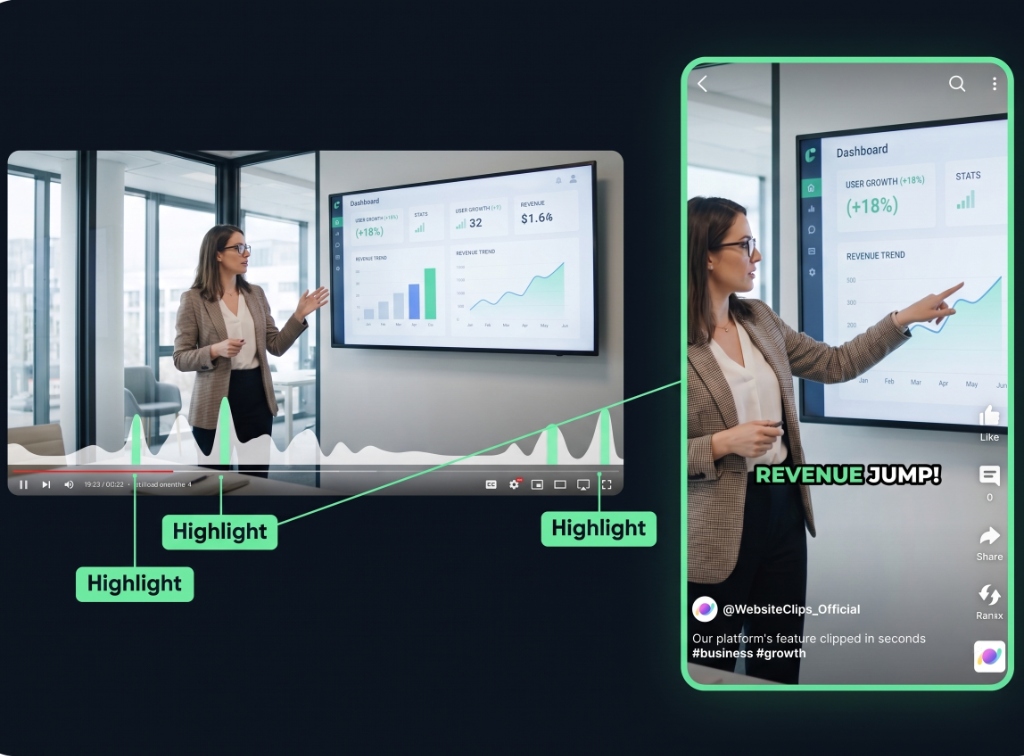
Auto Curation
AI automatically detects viral-worthy moments in your video and turns them into short clips.
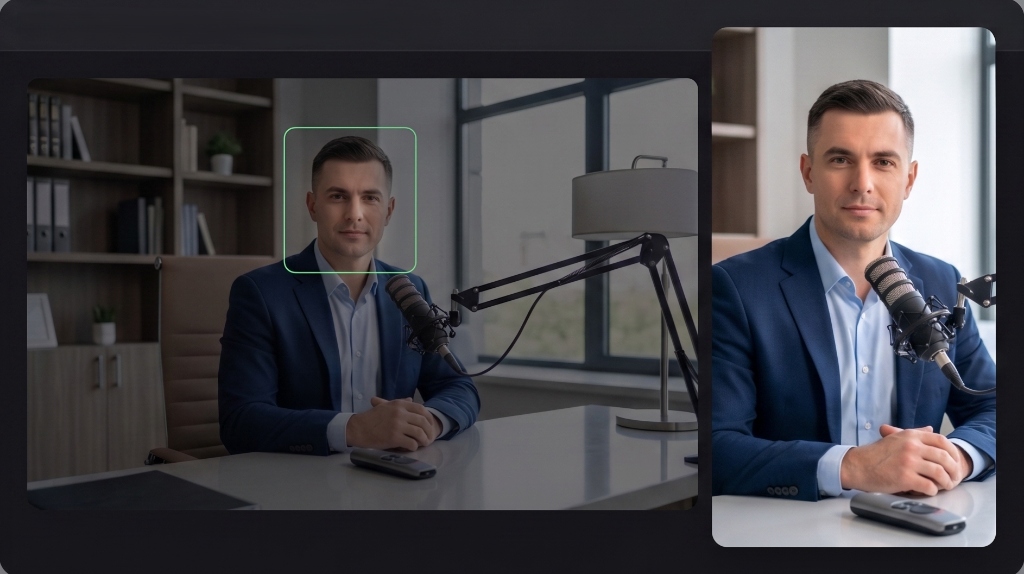
Face Tracking
AI detects faces in your video and keeps them centered in vertical formats.
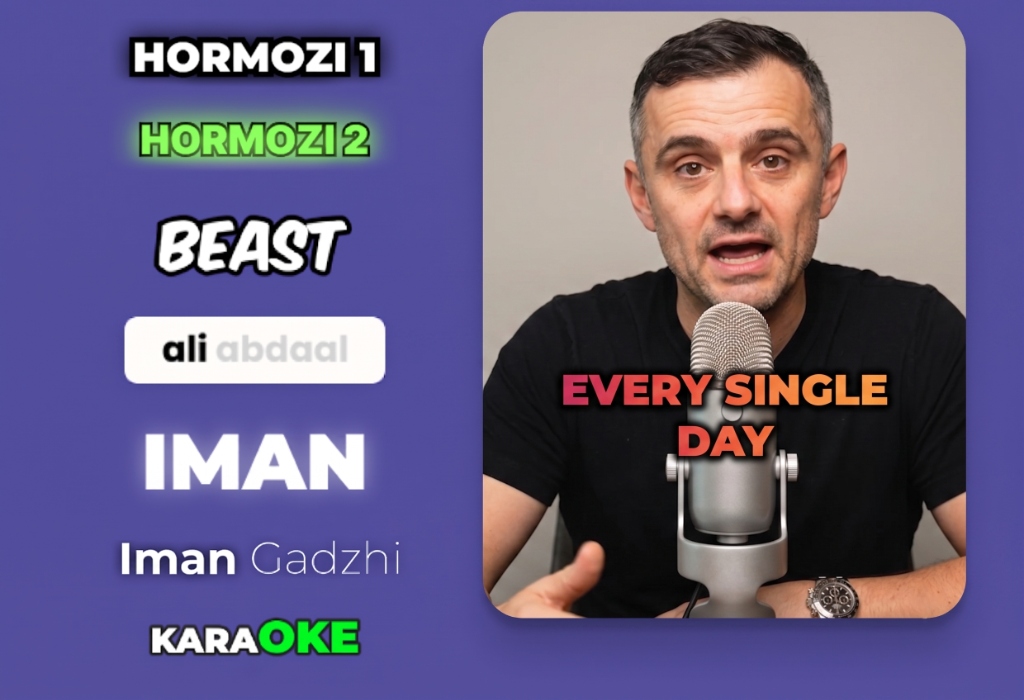
Auto Captioning
AI listens to your video and automatically adds captions.
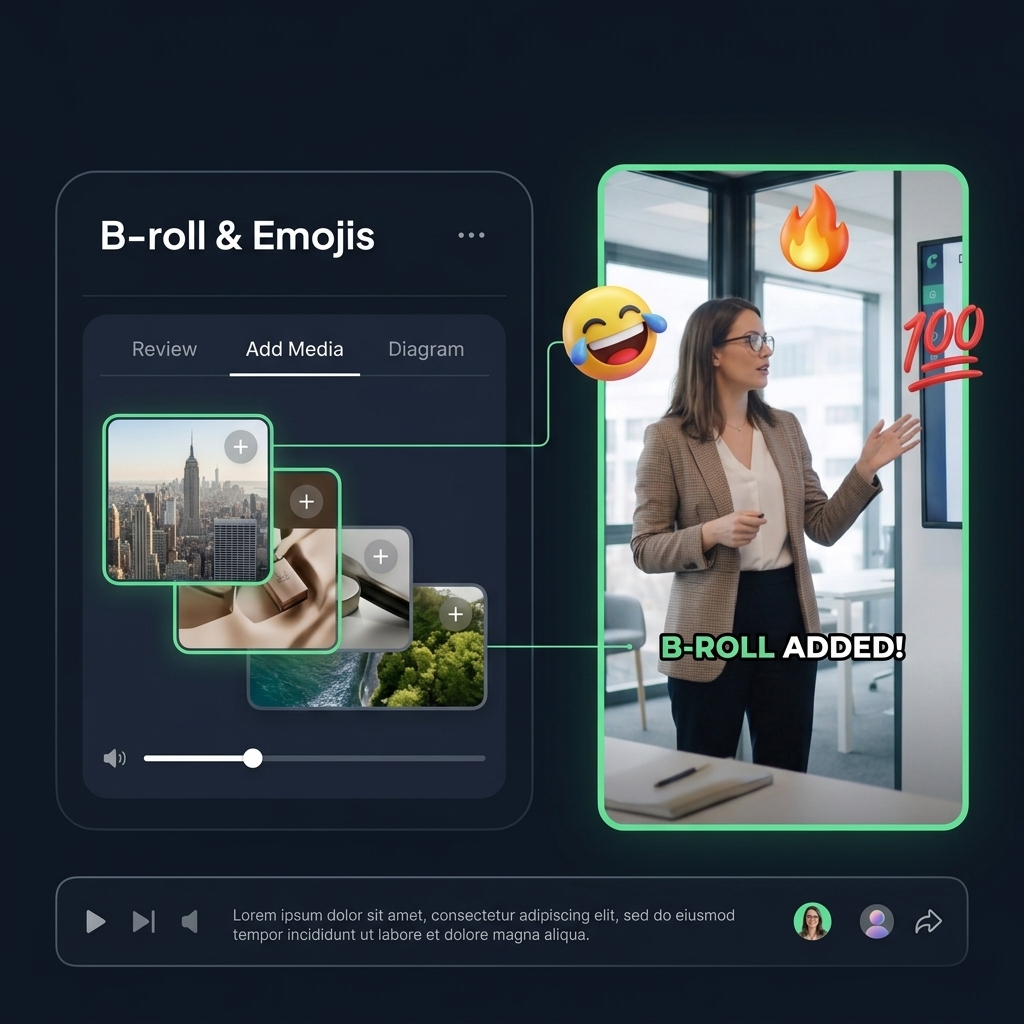
B-roll & Emojis
AI automatically inserts relevant emojis and B-roll footage to maximize viewer retention.
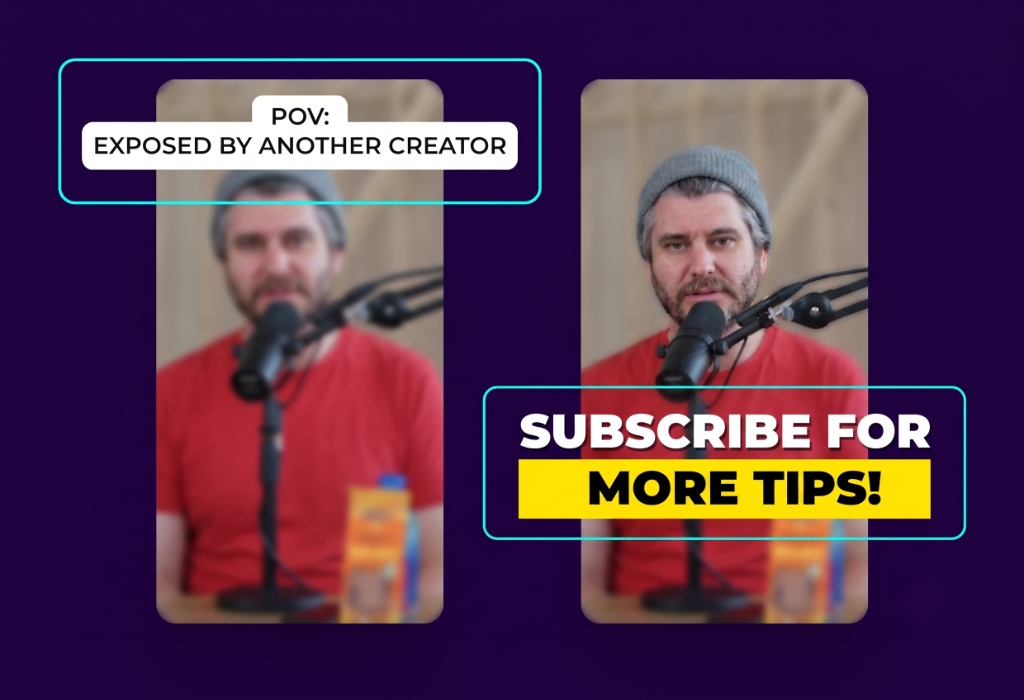
Hook Title & CTA
AI generates engaging hook titles and CTAs to keep viewers watching until the end.
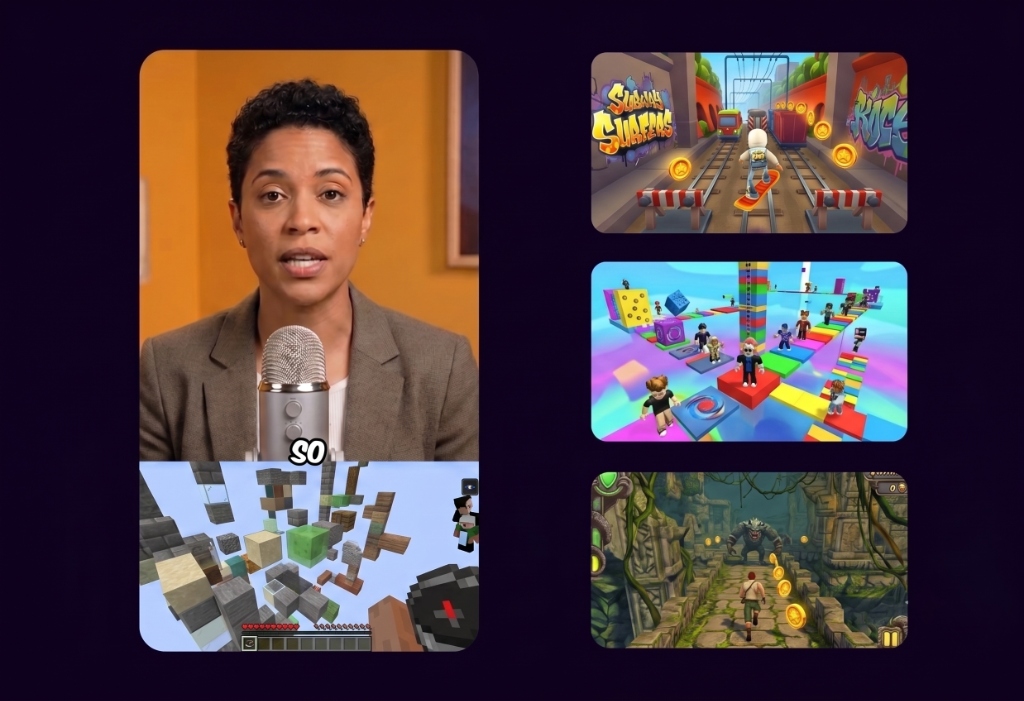
Game Video
Adds gameplay footage at the bottom to increase retention and keep viewers engaged.
Schedule and Post
Consistency is key to reaching 1 million views. Use twenty2short's Schedule and Post features to publish the clips to TikTok, YouTube, and Instagram over multiple days.
Schedule and Post to multiple platforms at once
With twenty2short's Calendar Feature, you can schedule and post to TikTok, YouTube, and Instagram at best performing times, saving you time and effort. Just set multiple posts and forget about it.
Your video is scheduled successfully!
Automated Titles, Descriptions & Hashtags
Create optimized titles, descriptions and hashtags to improve visibility and engagement.
YouTube Channel Automation
Channel Automation watches your YouTube channel, AI-clips new uploads, and auto-posts to your connected YouTube channel, TikTok, and Instagram Reels — hands-off.
Connect Channel
Paste your YouTube channel URL. That's it.
Detect
We watch for new uploads 24/7 — no refresh needed.
AI Clip
Our AI scores viral moments and cuts Shorts-ready clips.
Auto-Post
Qualifying clips auto-post to your connected YouTube channel, TikTok, and Instagram Reels.
Pricing
Choose the perfect plan for your video editing needs. No hidden fees.
Pro
AI Video Clipping
- AI Clipping
- Access to APIs
- Schedule and Post
- 600 Video Processing Minutes (per month)
- 1 social account connection
- 720p HD Exports
- No Watermarks
- Standard Support
- AI Auto-Framing
- Background Noise Removal
- Custom Video Templates (Basic)
- Standard Transitions
- 10GB Cloud Storage
- Export to TikTok, Reels, Shorts
Expert
Most Chosen Plan
- Everything in Pro Plan
- 1,500 Video Processing Minutes (per month)
- 3 social account connections
- 1080p Full HD Exports
- Advanced AI Captions
- Priority Support
- AI B-Roll Generation
- Advanced Color Grading
- Custom Brand Kit
- Multi-track Audio Editing
- 50GB Cloud Storage
- Auto-translations (10 languages)
- Batch Exporting
Business
Best for Scale
- Everything in Expert Plan
- 3,000 Video Processing Minutes (per month)
- Unlimited social account connections
- 4K Ultra HD Exports
- Team Collaboration
- 24/7 Dedicated Support
- Custom AI Models
- White-label Video Player
- API Access for Automation
- 500GB Cloud Storage
- Dedicated Account Manager
- SSO & Advanced Security
- Auto-translations (50+ languages)
Simple credit pricing.
1 minute of video processing costs exactly 1 credit.
Got questions? We have answers
Everything you need to know about plans, features, and billing setups.
Podcasts, educational videos, interviews, product reviews, and gaming streams work best. Essentially, any video with clear spoken words that our AI can analyze for high-retention moments.
Yes! Our AI not only extracts the most viral moments but also adds highly engaging, animated captions with relevant emojis tailored perfectly for TikTok, Reels, and Shorts.
Absolutely. While our AI does the heavy lifting, you get a full editor to tweak captions, change styling templates, adjust face-tracking, and trim the video exactly to your liking.
Our active speaker detection automatically analyzes the video and keeps the person speaking perfectly centered in the frame, which is crucial for 9:16 vertical videos.
Yes, with our paid plans you can connect your TikTok, YouTube, and Instagram accounts to schedule and auto-post your viral clips directly from your ClipShorter dashboard.
We support over 30 languages including English, Spanish, French, German, Portuguese, and more. Our AI automatically detects the spoken language and generates accurate subtitles.
Processing time depends on the length of your original video, but typically takes just a few minutes. For example, a 1-hour video usually takes about 10-15 minutes to generate all your clips.
Videos exported on the Free plan include a small brand watermark. Upgrading to any of our paid plans completely removes the watermark from all your clips.
If you run out of credits before your month resets, you can easily upgrade your plan or purchase a one-time "Pay As You Go" credit pack to keep creating.
Absolutely! You retain 100% ownership and copyright of both your original uploaded videos and all the short-form clips generated by our AI.
Free users can upload videos up to 30 minutes long. Our paid tiers increase this limit significantly, allowing for uploads up to 3 hours long or up to 3GB in size.
Ready to scale your content?
Join thousands of creators turning their long-form podcasts into viral short-form clips.
Upload Video Asset
Drag & drop or browse files
Bonus: Limit Increased to 3GB • 1 HourPlans from $6/mo · Cancel anytime